Screenshots
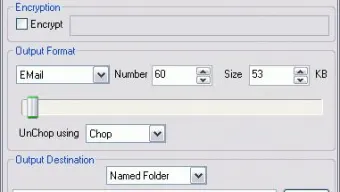
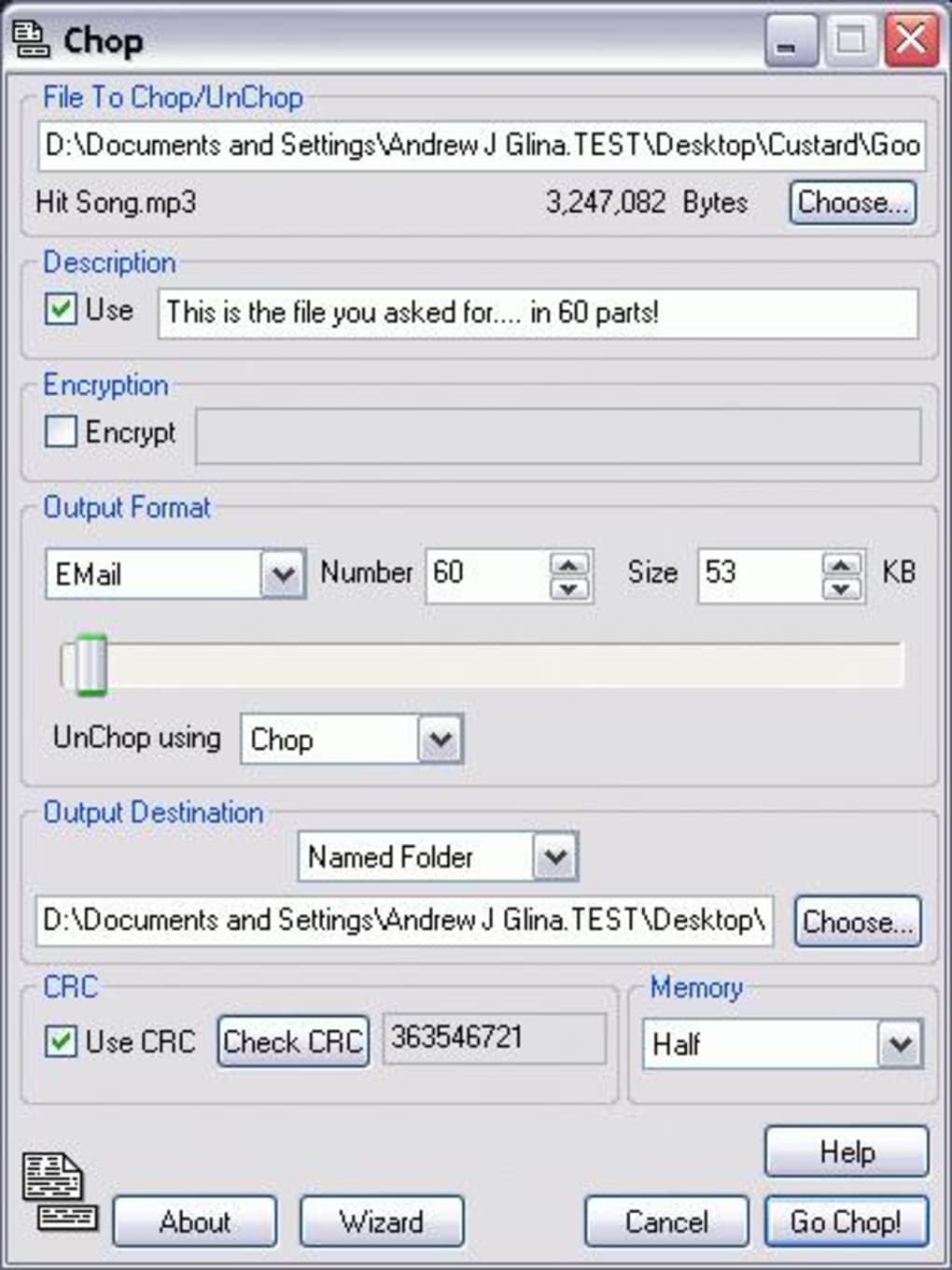
App details
- Version
- 1.51
- Size
- 37.64 KB
- Updated
- May 16, 2007
- Requires
- Windows 2000
- Language
- English
- License
- Trial version
- Developer
- Sinnercomputing
- Category
- Windows OS
SoftPas in:
This product is also available in the following languages:
About Chop
Download Chop – Lightweight File Splitter for Windows, Mac, Android & iOS
Chop is a lightweight, efficient file splitting utility designed for users who need to break down large files into smaller, more manageable pieces. Ideal for transferring files via email, burning to CDs, or uploading to cloud services with size limits, Chop simplifies the process with minimal system requirements. Available as a trial version, this tool is part of the Software Utilities category, specifically under File Splitters. Developed by Sinnercomputing, Chop has been a reliable choice since its initial release in 2005 and continues to serve users worldwide, especially in regions where older operating systems are still in use. The latest version, 1.51, was updated on May 16, 2007, and it supports Windows 98 and earlier versions. Despite its age, Chop remains functional and secure for basic file-splitting tasks. The software is available in English and is known for its minimal footprint—making it a great option for users with limited storage or older hardware. With over 637,000 downloads since joining the platform in 2005, Chop has earned a reputation for reliability and simplicity. Whether you're a student, professional, or casual user, this free tool offers a no-nonsense approach to file management.
Key Features of Chop – Why It Stands Out
Chop’s strength lies in its simplicity and efficiency. As a file splitter tool, it allows users to divide large files into smaller, equal-sized chunks without compromising data integrity. One of its standout features is the ability to customize the split size—users can define the exact file size for each segment, which is particularly useful when working with email attachments (typically limited to 25MB) or CD/DVD storage (700MB). The tool supports virtually all file types, including documents, videos, audio files, and archives, ensuring compatibility across various workflows. Another major advantage is its lightweight nature: Chop requires minimal system resources, making it ideal for older machines running Windows 98, ME, or even early versions of Windows XP. Unlike many modern file utilities that demand high-end hardware, Chop operates smoothly even on machines with limited RAM and processing power. The interface is clean and intuitive—no steep learning curve, just drag-and-drop functionality and a few simple settings. It also includes automatic file naming (e.g., file_part001.zip, file_part002.zip), which simplifies reassembly later. For users who need to share large files across platforms or across different devices, Chop ensures seamless compatibility. While it doesn’t offer advanced compression or encryption, it excels in its core purpose: splitting files quickly and reliably. The trial version allows full access to all features, so users can test it thoroughly before deciding on a purchase. With its long-standing presence and consistent performance, Chop remains a trusted tool for file splitting tasks, especially in regions where modern software isn’t always accessible.
How to Install and Use Chop on Windows, Mac, and Mobile Devices
Installing and using Chop is straightforward, even for users with minimal technical experience. For Windows users (including Windows 98, ME, and XP), download the setup file from a trusted source. Once downloaded, run the installer and follow the on-screen prompts. The installation process is quick and doesn’t require administrative privileges in most cases. After installation, launch the application from the Start menu or desktop shortcut. To split a file, simply drag and drop the large file into the Chop window or use the “Open” button. Next, specify the desired size for each split segment—common options include 100MB, 500MB, or 1GB, depending on your transfer method. You can also choose the output folder where the split files will be saved. Once configured, click “Split” and wait for the process to complete. The resulting files will be automatically named in sequence, making reassembly easy. To rejoin the split files, use the same tool: open Chop, select “Join,” and choose the first part of the split set. The software will automatically detect and reassemble the files in the correct order. For Mac users, while there’s no native version, you can run Chop via compatibility layers like Wine or virtual machines. On Android and iOS, no official app exists, but similar file-splitting functionality can be achieved using third-party tools like File Splitter Pro or Split & Join. However, for true compatibility with older systems and maximum reliability, Windows remains the best platform for Chop. Always ensure you download the software from a trusted source to avoid malware or corrupted files. Regular updates are not available due to the software’s age, so it’s recommended to use it only on trusted, isolated systems. Despite its limitations, Chop remains a secure and stable option for file splitting when used appropriately.
Compatibility and System Requirements
Chop is specifically designed for older Windows operating systems, making it one of the few file utilities still functional on Windows 98, Windows ME, and Windows XP. It does not support modern versions like Windows 10 or 11, which limits its usability for users on newer hardware. However, for users still relying on legacy systems—common in certain educational institutions, small businesses, or developing regions—Chop remains a valuable tool. The software has a minimal system footprint: it requires less than 1MB of free disk space and runs efficiently on machines with as little as 16MB of RAM. This makes it perfect for low-end PCs or older laptops where modern software would struggle to perform. While there is no official version for Mac, Android, or iOS, users can attempt to run it via compatibility tools like Wine (for Mac) or Android emulators. However, success is not guaranteed and may require technical expertise. For mobile users, alternative apps such as File Splitter & Joiner (Android) or Split & Merge Files (iOS) offer similar functionality with native support. Despite its outdated platform support, Chop’s reliability and lightweight design ensure it remains relevant in niche scenarios. It’s important to note that since the last update was in 2007, the software lacks modern security patches. Therefore, it should only be used on isolated systems or offline environments where data exposure is minimal. For users seeking a free, secure, and lightweight file splitter for older systems, Chop continues to deliver value—especially when paired with careful usage practices.
Pros and Cons of Using Chop
- Pros:
- Extremely lightweight – uses minimal system resources
- Supports older Windows systems (98, ME, XP)
- Simple, intuitive interface – no learning curve
- Customizable split size for flexible file management
- Free trial version with full feature access
- Secure for offline use on trusted systems
- Cons:
- No support for Windows 10/11 or modern OS versions
- No official Mac, Android, or iOS apps
- Outdated—last update in 2007, no security updates
- Cannot compress or encrypt files
- Interface is basic and lacks modern design elements
Final Verdict: Is Chop Worth Downloading?
Despite its age, Chop remains a solid choice for users needing a no-frills file splitter on older Windows systems. Its lightweight design, ease of use, and reliable performance make it a standout in a crowded field of file utilities. While it lacks modern features like compression, encryption, or cross-platform support, it excels in its core function: splitting large files into smaller, manageable parts. For users in China or other regions where legacy systems are still in use, Chop offers a dependable, free solution. However, it’s not recommended for modern environments due to security concerns and OS incompatibility. If you’re working on a Windows 98 or XP machine and need to split files for email, CD burning, or cloud uploads, Chop is worth downloading. Just remember to use it on isolated systems and avoid transferring sensitive data. For everyone else, consider modern alternatives like 7-Zip or WinRAR for broader functionality. Still, for a niche, lightweight tool with a proven track record, Chop delivers what it promises—efficient, secure file splitting on older hardware.
Download Chop today and experience a simple, effective way to manage large files—especially if you’re still running legacy Windows systems.
Guides & Tutorials
How to install Chop
- Click the Download button above.
- Once redirected, accept the terms and click Install.
- Wait for the Chop download to finish on your device.
How to use Chop
This software is primarily used for its core features described above. Open the app after installation to explore its capabilities.
User Reviews
No reviews yet. Be the first to share your experience.
You may also like
more
Llama 2
Free-to-use large language model As the new addition to Meta’s arsenal of langua...

NotebookLM
Revolutionizing the note-taking and idea-generation process NotebookLM is an exp...

Github co pilot
AI-inspired software development and coding platform GitHub Copilot is a browser...

Google Gemma
Google’s lightweight AI models Introducing Google Gemma , a family of cutting-ed...

AI Image Enlarger
A free app for Windows, by ai-image-larger. AI Image Enlarger is a free software...

DALL E
AI-driven text-to-image transformation engine DALL·E is a free graphic and desig...